
S Factor Technologies
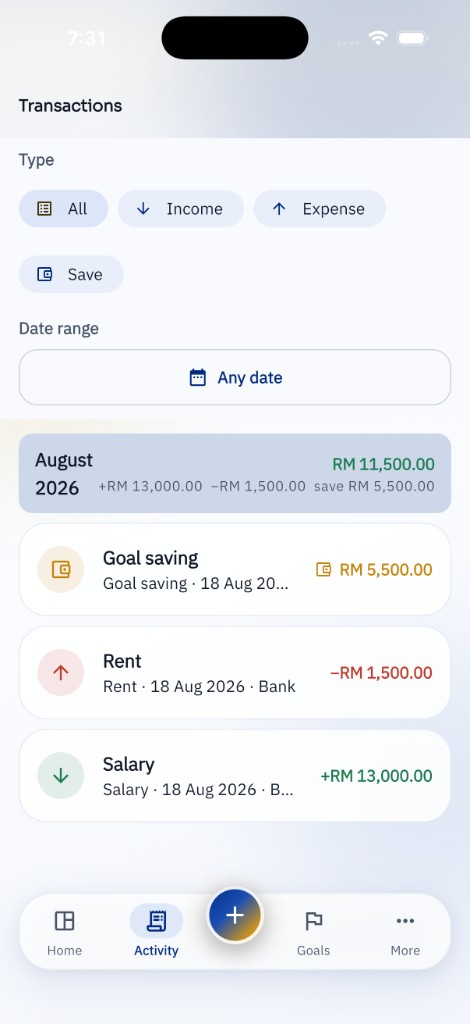
KiraKira transactions list with income, expenses and savings
KiraKira home showing this month surplus and Money Momentum
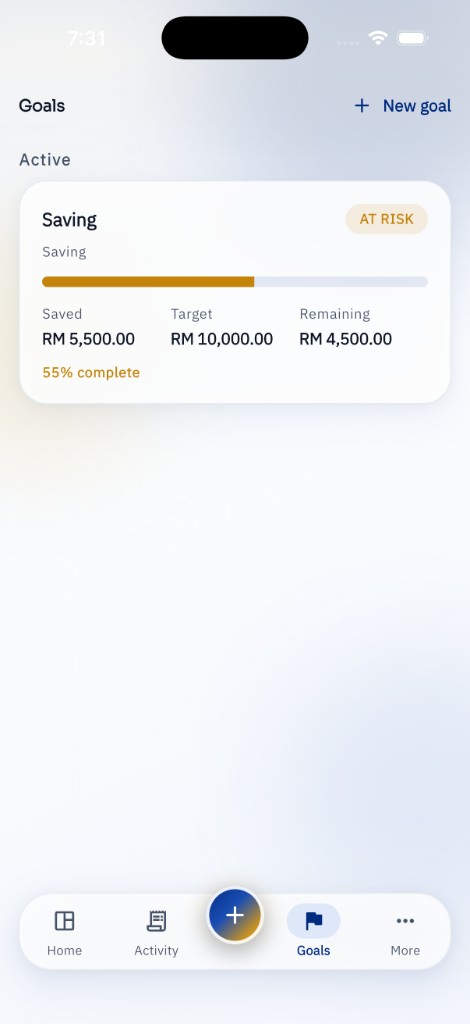
KiraKira goals with saved, target and remaining amounts
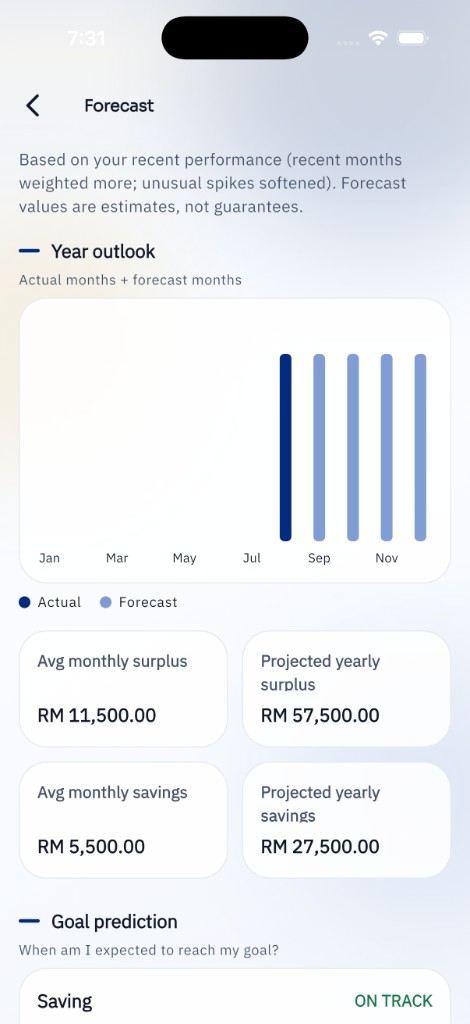
KiraKira forecast with year outlook and goal prediction

Swipe to preview KiraKira

Getting started

Install KiraKira, then add the accounts you actually use — cash, bank or e-wallet.

Record your first income and expense. The dashboard will start to make sense once a few entries are in.

Optionally set a PIN or biometric app lock from Settings before you add more detail.
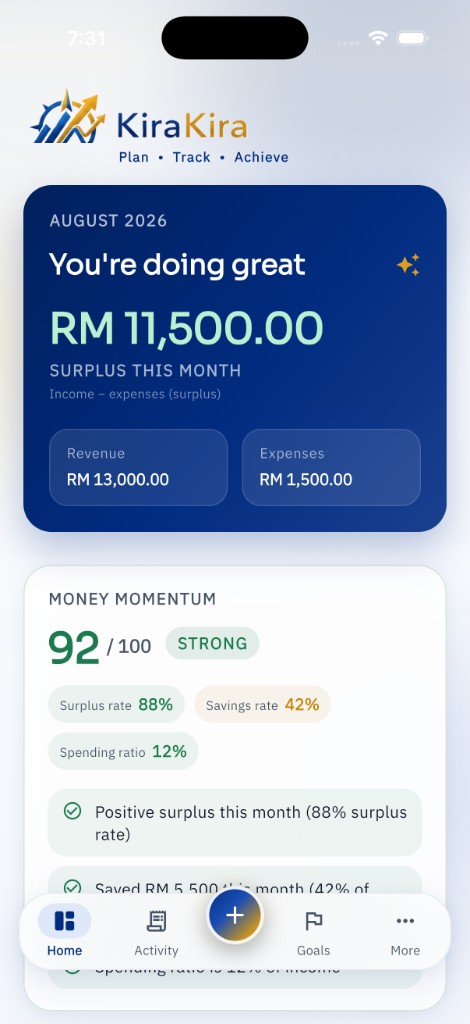
KiraKira home showing this month surplus and Money Momentum

Managing income

Add income as it arrives, with a category that matches how you think about money.

You can keep this as simple as salary and extra income, or split it further if that helps.

Managing expenses

Log everyday spending as you go. Categories stay editable from Settings.

KiraKira Pro can scan receipts on the device. Photos stay on the phone and are not uploaded for OCR.

KiraKira transactions list with income, expenses and savings

Goals

Free includes one active goal. Pro unlocks unlimited goals.

Saving goals track recorded savings activities towards a target — surplus on paper is not counted until you log it as savings.

KiraKira goals with saved, target and remaining amounts

Pro features

Pro adds forecasting, what-if planning, extra reports, export, receipt scanning, multiple accounts, and Google Drive backup.

Offers and prices are shown in the app before you buy. Billing happens through the App Store or Google Play.

KiraKira forecast with year outlook and goal prediction

Backup and restore

Open Settings → Backup & Restore. Google Drive backup is a Pro feature and uses a private app folder on the Drive account you connect.

You can also export a CSV from More → Export as an offline copy.

If you uninstall without a backup, local data is removed with the app.

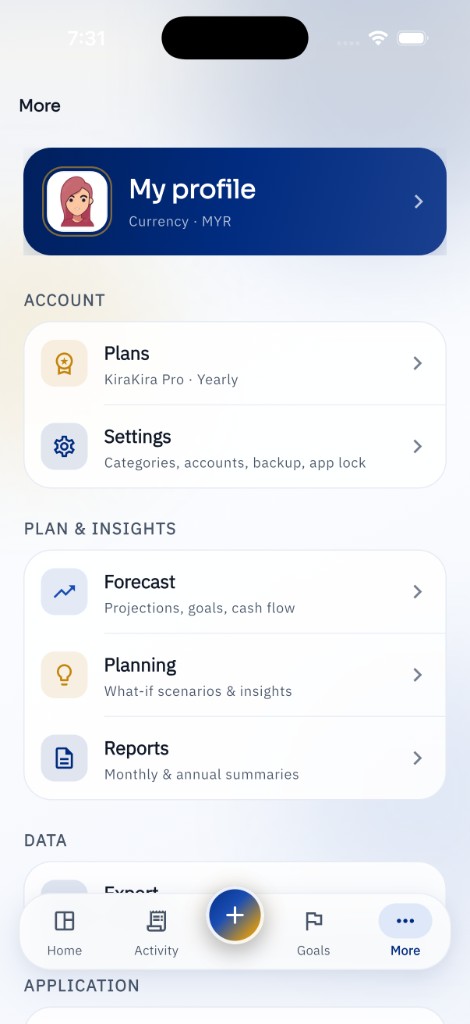
KiraKira More screen with profile, plans, settings and insights

Subscription questions

Subscriptions renew until you cancel them in the store account you used to subscribe.

KiraKira does not store your card details. Refunds, if any, are handled by Apple or Google according to their policies and applicable law.

Restore purchases

If you reinstall or change devices, use the restore-purchases control in the app after signing in to the same store account.

Lifetime purchases, if offered, are also restored through the store — not through a KiraKira login.

Troubleshooting

If the dashboard looks empty, confirm you have transactions in the selected period.

If app lock will not open and you have forgotten the PIN, KiraKira cannot recover it. Uninstalling removes the lock and local data. Restore from Google Drive afterwards if you have a backup.

Forecasts depend on the data you entered. They are estimates, not guarantees.